
Disclaimer: This page contains advertisements and/or affiliate links. We receive compensation from clicks and/or purchases made through these links. Though we may not have tested the specific product(s) mentioned, we do our best to recommend products that are beneficial to our visitors.
The AquaWiz KH Alkalinity Monitor
Last updated on May 24th, 2026
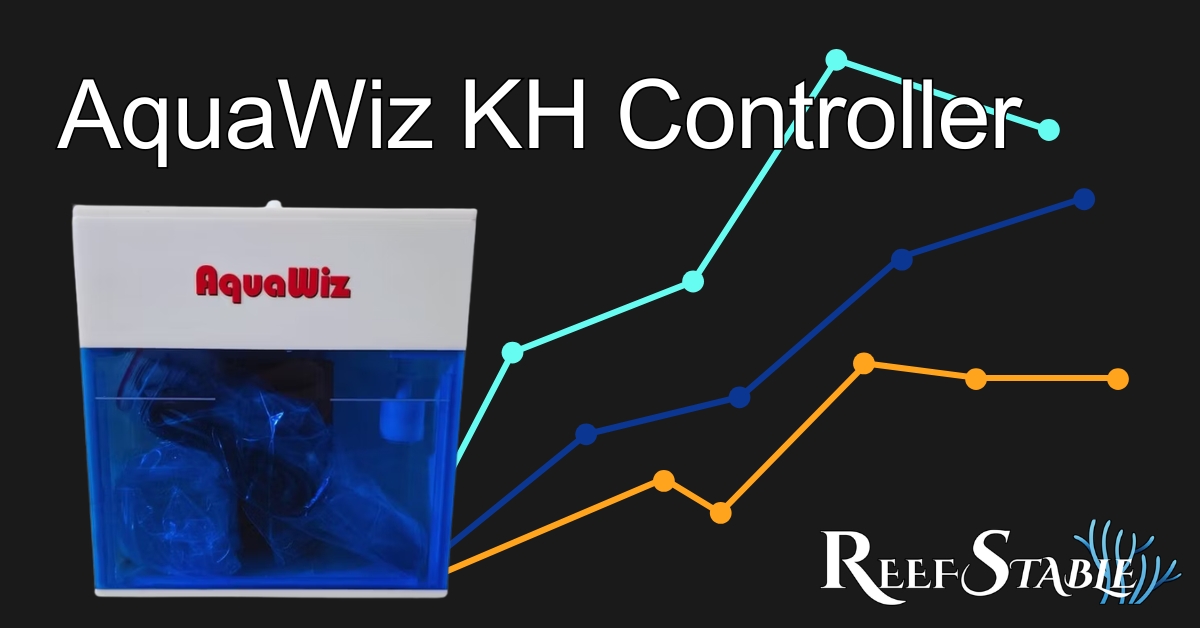
The AquaWiz Kh May be the New Standard for Alk Monitors
The AquaWiz Kh is an alkalinity monitor (and controller) that requires no reagents! Does that mean that AquaWiz is the NEW standard in alkalinity monitoring? Maybe even a cost savings over time? Let's look deeper into the AquaWiz and see if we can answer these questions and more!

What is Alkalinity - Quick Refresher
Before getting into how the AquaWiz KH measures alkalinity, a quick refresher on what is alkalinity. This will be important for understanding how the alkalinity monitor determines a value without reagent.
In technical terms, Alkalinity is the buffering capacity of the water against a change of pH when an acid is introduced. For aquariums, the main source of acid is carbonic acid created from reacting with the CO2 in the air.
In a little more "hobbyist" wording, the higher the alkalinity of the tank, the less your pH will change when CO2 reacts with the tank water. Think of alkalinity as like a "filter" against CO2 from changing the pH.
I have a number of articles talking through Alkalinity and pH. So I don't want to get too deep into the chemistry in this article. If you DO want to learn more, here are some of my other articles:
- A Complete Guide to Alkalinity, Calcium, and Magnesium
- The Secret to Reef Tank pH
- ACI Aquaculture's pH Control with Kalkwasser Dosing
- Control pH and Alkalinity at the Same Time
How Does the AquaWiz Work?
The AquaWiz Hardware
The AquaWiz KH has 2 "test tubes" inside of a larger reference water chamber. The left tube has a pH probe, and an air stone. The right tube only has an air stone. Both of the test tubes have a small tube for pulling water in and out of the test tubes.
Reference Solution
When you set up the AquaWiz (which we will talk about later) you calibrate the alkalinity and sync it to the device. This is telling the AquaWiz KH the alkalinity of the water in the chamber (outside of the test tubes). This water is now called the reference solution.
How does the AquaWiz Determine Alkalinity
Knowing the alkalinity of the reference water, the AquaWiz can use air to change the pH of the reference water. Then, it can can use (roughly) the same amount of air on the sample water from the tank. We won't get into the math, but basically a little algebra and you can find the alkalinity of the sample water.
Why is the AquaWiz KH Method Better?
Assuming everything works as designed, the AquaWiz will use a more accurate scientific measurement method than most automatic alkalinity monitors. Most alkalinity monitors rely on color changing titration tests. So it's only as accurate as the ability to detect color. Which can be affected by lighting, algae in the test chamber, or anything affecting the light/color reading. Other monitors use a similar method, but add an acid to the water instead of the air. While that may be slightly more accurate, it does have a constant cost for the acid.
So what that means is that assuming everything works as designed (or even close), the AquaWiz does have one of the most accurate methods of measuring alkalinity with no additional costs over time.
Setting up the AquaWiz KH Monitor
Out of the Box
Honestly, following the included instructions works perfectly! CAREFULLY setting up the pH Probe, and the intake with the bobber.
In case you are trying to find the install instructions, you can find them here: AquaWiz KH Install Instructions
Using the AquaWiz with Neptune Apex or Hydros
To use the AquaWiz KH Controller with another controller, all you need is a Male to Male BNC Cable, and a pH port to plug it into. For the Apex, you may need a PM1 Module, and for Hydros you may need a module as well.


Simply connect the BNC cable to the "KH to pH" port on the back of the AquaWiz, and the other side to a pH port on your controller. When calibrating the pH "probe", in the AquaWiz, pick the "Other" Menu, and select the value you want it to send. DO NOT hit the button on the right. While the value is flashing, that is what it will read on the other controller. Just calibrate and you're set! The Alkalinity will show as if it were pH on the other controller.
Troubleshooting the AquaWiz KH
There were a few things I found that you'll want to consider though:
- Make sure the air stones are as far down in the tubes as possible.
- Make sure to calibrate the water heights in the "A6" step.
- After the water levels are corrected, make sure the amount of air in both tubes is roughly the same. Do this by turning the air dials under the lid.
Troubleshooting the AquaWiz KH Controller
When I first setup my AquaWiz, I was seeing alkalinity swings from 3 to 15dKh within 12 hours and knew something was very wrong. Here are some things to do to ensure it's not a setup issue (mine was).
- Calibrate the water levels in the 2 test tubes and outer box
- In Step "A6" (Top right corner on the screen), press the right button to open the menu.
- Select the "Pump" setting, and adjust the levels with the 2 left buttons for up and down.
- Make sure the water level is on the lines.
- Make sure the air in both chambers is nearly identical
- In Step "A6" (Top right corner on the screen) you should see air bubbles.
- Open the lid, and on the right side, there should be 2 airline dials.
- Open or close these as needed to make the bubbles match.
- Check stability in isolation (readings are showing large shifts)
- Fill a container with about a half gallon of water.
- Put the sample line in that container for 6-12+ hours.
- If the shifts are fixed, the problem is changes in the tank. Make sure and dosing, ATO, etc is AFTER the AquaWiz intake.
- Calibrate, Sync, AND Refill
- Measure your tank alkalinity with a test kit you trust.
- On the AquaWiz menu, select Refill (this may take 30 mins or so).
- In the AquaWiz App, click the calibrate button, and enter this number.
- AFTER the refill is done, on the AquaWiz menu, select Sync.
- This is telling the AquaWiz the alkalinity of the reference water in the box.
- *Another option is to test the water in the box. Then you can skip the refill and just calibrate/sync.
If these didn't help, check out the Coral Collectors' troubleshooting page for more ideas. I found that contacting Collector Corals helped a LOT in this process.
About the Author
John Krenzer

John is a Software Engineer with a passion for saltwater aquariums, as well as the founder and president of Reef Stable. He started in the aquarium hobby as a child with a 20 gallon freshwater aquarium. His interest in aquarium life grew and in 2008, John set up his first saltwater aquarium.
John writes articles for the blog as a means to learn about more reef aquarium topics. These articles act as a reference for the readers as well as himself. John updates these articles frequently to provide additional information or make corrections as new information becomes available.
If you would like to request an article, tank tour article, or to collaborate, let me know via the


Social Media